Mining Pool Configuration Guide 2026: From Hardware to Hashrate
Mining isn’t just about plugging in hardware anymore. Every mining pool configuration decision directly impacts your daily profitability and energy efficiency. A misconfigured miner can waste thousands of dollars in electricity while producing suboptimal results.
This comprehensive guide walks you through the entire process. From selecting the right mining software to optimizing your connection with top-tier pools, you’ll learn exactly how to transform raw hardware power into consistent cryptocurrency earnings. If you are new to crypto mining, learn exactlywhat is.
Understanding the 2026 Mining Landscape
Mining software acts as the critical translator between your physical hardware and the blockchain network. Think of it as the operating system that converts electrical power into computational work, then into cryptocurrency rewards.
The role of software extends beyond simple translation. Modern mining applications handle temperature management, power optimization, and automatic failover between pools. They monitor hardware health, adjust clock speeds dynamically, and provide real-time performance metrics.
Why does mining pool configuration matter so much in 2026? The answer lies in razor-thin profit margins. With increased network difficulty and volatile cryptocurrency prices, miners must squeeze every possible efficiency from their operations. A 5% improvement in configuration can mean the difference between profit and loss.
Energy costs have skyrocketed globally, making power efficiency paramount. Proper software configuration can reduce power consumption by up to 15% while maintaining the same hashrate output. This translates directly to higher profits and longer hardware lifespan.
Choosing Your Mining Software: A Deep Dive
EasyMiner: The Beginner’s Gateway
EasyMiner revolutionizes mining accessibility through its intuitive Graphical User Interface (GUI). No command lines, no complex scripts, just point-and-click simplicity that gets you mining in minutes.
The software features “military-grade” AES-256 encryption for all pool communications. This prevents man-in-the-middle attacks and ensures your mining rewards reach your wallet safely. The one-click setup wizard automatically detects your hardware and suggests optimal configurations.
EasyMiner excels at visual monitoring. Real-time graphs display hashrate fluctuations, temperature readings, and earnings projections. The software automatically adjusts fan speeds to maintain optimal operating temperatures, extending hardware lifespan significantly.
For beginners, EasyMiner’s preset profiles eliminate guesswork. Select your hardware model, choose a mining pool, and start earning immediately, no configuration. The software handles all technical details behind the scenes.
CGMiner: The ASIC Powerhouse
CGMiner remains the gold standard for advanced ASIC users who demand granular control over every aspect of their mining operation. This command-line interface might intimidate newcomers, but experienced miners swear by its precision.Cross-platform compatibility sets CGMiner apart. Whether you’re running Windows, Linux, or macOS, CGMiner delivers consistent performance. The software supports remote monitoring and configuration, essential for large-scale operations.
The real power lies in CGMiner’s hardware control capabilities. Adjust core voltages, memory timings, and fan curves with surgical precision. Create custom profiles for different times of day, optimizing for either maximum hashrate or minimum power consumption.
CGMiner’s scripting capabilities enable advanced automation. Set up automatic pool switching based on profitability, implement progressive overclocking schedules, or create custom alerting systems for hardware failures.
BFGMiner: The Customization Champion
BFGMiner takes modularity to the extreme, allowing miners to build exactly the software configuration they need. Its plugin architecture supports specialized hardware configurations that other miners can’t handle.
The software specializes in ASIC and FPGA support, with dynamic clocking algorithms that adjust performance in real-time. BFGMiner monitors chip temperatures individually, throttling specific components to prevent damage while maintaining overall hashrate.
Vector support and ADL device reordering give BFGMiner unique advantages for multi-GPU setups. The software can distribute workloads intelligently across different hardware types, maximizing efficiency in mixed mining rigs.
BFGMiner’s network proxy support enables sophisticated mining architectures. Create local stratum proxies to reduce latency, implement failover pools with custom priority logic, or build multi-tier mining networks for enterprise deployments. Compare more software for efficiency in profit.
Step-by-Step Mining Pool Configuration Tutorials
Initial Setup: Finding Your Miner’s IP Address<
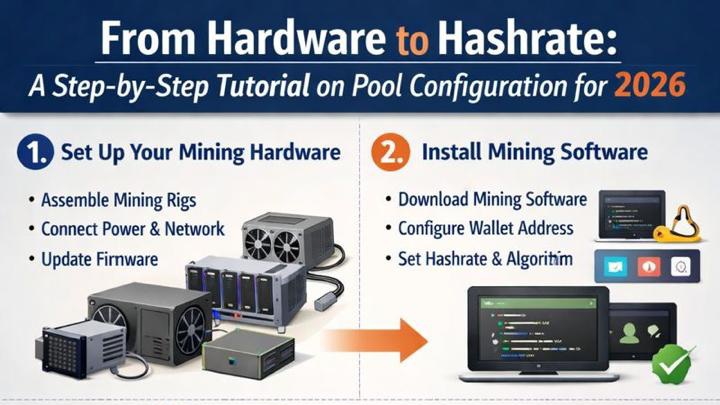
Every configuration journey begins with locating your miner on the network. Modern ASICs obtain IP addresses automatically through DHCP, but finding that address requires specific tools.
Download and install a network scanner like Advanced IP Scanner or Angry IP Scanner. These free tools scan your local network, identifying all connected devices. Run a scan of your network’s IP range (typically 192.168.1.0-255).
Look for devices with manufacturer names like “Bitmain,” “MicroBT,” or “Canaan.” Your miner’s web interface usually runs on port 80, so you can verify by entering the IP address in your web browser. Save this IP address for future access.
Some miners broadcast their presence using mDNS. Tools like Bonjour Browser on Windows or Discovery on macOS can find these miners automatically without IP scanning.
Configuring CGMiner and BFGMiner
Creating a startup file streamlines your mining operation. Open Notepad (Windows) or TextEdit (Mac) to create your configuration file. Save it with a .bat extension on Windows or .sh on Linux/Mac.
The basic command structure follows this pattern: “` cgminer.exe -o stratum+tcp://pool.example.
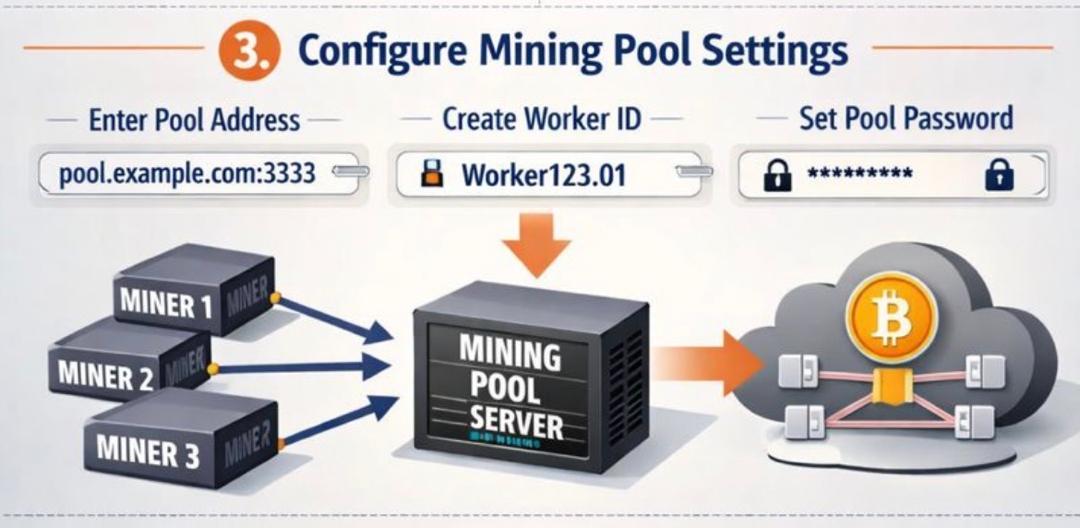
Break down each component for clarity. The -o flag specifies your pool’s stratum URL. The -u flag contains your username and worker identifier. The -p flag is typically just “x” for most pools in 2026.
Add performance flags to optimize your setup: “` cgminer.exe -o stratum+tcp://pool.example.
These additional flags enable API access for monitoring, automatic fan control, and GPU management. Save your configuration file in the same directory as your mining software.
Configuring EasyMiner
EasyMiner’s visual approach simplifies configuration dramatically. Launch the application and navigate to the “Settings” tab. The interface presents all options in organized categories.
Select your preferred cryptocurrency from the dropdown menu. EasyMiner automatically populates recommended pools for each coin. Choose a pool based on fees, minimum payout thresholds, and geographic proximity.
Enter your wallet address in the designated field. EasyMiner validates addresses automatically, preventing costly typos. Set your worker name to something memorable for easy identification in pool statistics.
The “Advanced” section offers hardware-specific optimizations. Enable “Auto-tune” for automatic performance optimization, or manually adjust intensity settings based on your cooling capacity. Click “Start Mining” to begin earning.
Connecting to Reputable 2026 Mining Pools
Antpool Mining: The Infrastructure Leader
Antpool’s massive infrastructure provides unmatched stability and reliability. Their global server network ensures minimal latency regardless of your geographic location. With over 15% of Bitcoin’s total hashrate, Antpool offers consistent block discovery.
Creating sub-accounts revolutionizes farm management. Each sub-account operates independently, with separate statistics, payout addresses, and worker management. This granular control simplifies accounting for tax purposes and enables precise performance tracking.
Antpool offers two payout models in 2026. PPS+ (Pay Per Share Plus) guarantees predictable income by paying for every valid share submitted, plus transaction fee rewards. PPLNS (Pay Per Last N Shares) offers potentially higher rewards but with more variance.
The pool’s mobile app provides real-time monitoring and instant notifications. Set custom alerts for hashrate drops, monitor individual worker performance, and manage payouts directly from your smartphone.
ViaBTC: The Multi-Coin Specialist
ViaBTC’s strength lies in supporting multiple cryptocurrencies simultaneously. Their Smart Mining feature automatically switches your hashrate to the most profitable coin, maximizing earnings without manual intervention.
The pool uses a “UserID.workerID” formatting system for precise worker identification. This structure allows unlimited workers under a single account while maintaining individual performance tracking. Format your workers as “YourUserID.Rig1”, “YourUserID.Rig2”, etc.
ViaBTC’s stratum URLs for 2026 include: – BTC: `stratum+tcp://btc.viabtc.io:
Setting multiple ports ensures continuous operation. Configure your miner with backup stratums using ports 25, 443, or 1800 to bypass potential firewall restrictions. This redundancy prevents downtime during network issues.
Optimization and Performance Monitoring
Real-Time Tracking Systems
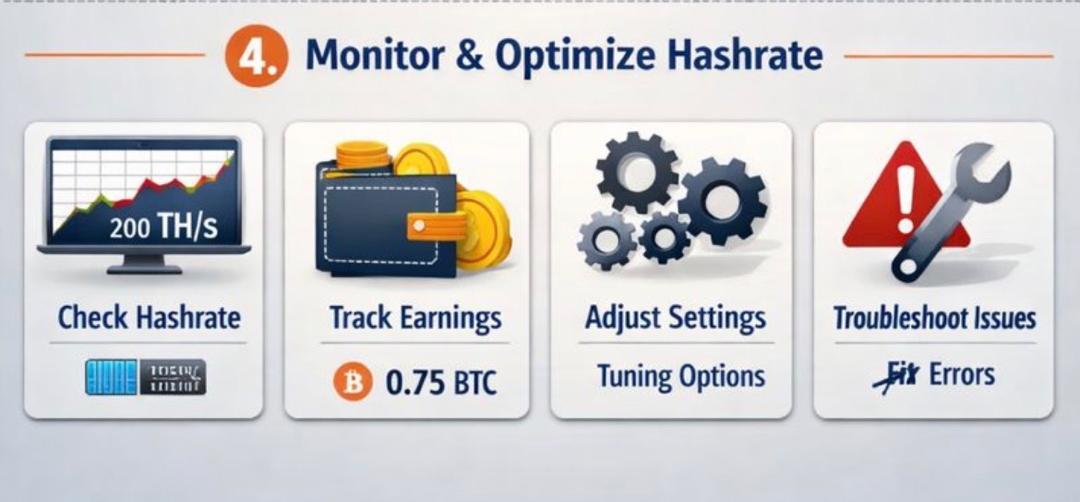
Modern mining demands constant vigilance through sophisticated monitoring systems. Pool dashboards provide immediate insights into hashrate performance, share submission rates, and earning projections.
Set up multi-level monitoring for comprehensive coverage. Use pool dashboards for overall performance, mining software interfaces for hardware health, and third-party tools like Awesome Miner for centralized management.
Mobile applications transform your smartphone into a 24/7 monitoring station. Apps like Poolin, F2Pool, and Slush Pool send push notifications for critical events. Configure alerts for hashrate drops below 95%, temperature spikes above safe thresholds, or unusual rejection rates.
API integration enables advanced monitoring solutions. Connect your mining operation to platforms like Grafana or Prometheus for professional-grade dashboards. Visualize trends, identify patterns, and optimize performance based on historical data. You can learn more on how to optimize your mining software.
Preventing Downtime
Hashrate alerts form your first line of defense against revenue loss. Configure notifications when hashrate drops below expected levels for more than 5 minutes. This early warning system helps identify issues before they impact profitability significantly.
Implement automatic pool switching for maximum uptime. Configure primary, secondary, and tertiary pool options in your mining software. When the primary pool experiences issues, your miners automatically failover to backup options.
Regular maintenance schedules prevent unexpected failures. Clean dust filters weekly, reapply thermal paste quarterly, and inspect power connections monthly. Document all maintenance activities for warranty purposes and performance tracking.
Create detailed contingency plans for common failure scenarios. Power outages, internet disruptions, and hardware failures should all have predetermined response procedures. This preparation minimizes downtime and accelerates recovery.
2026 Security Best Practices For Mining.
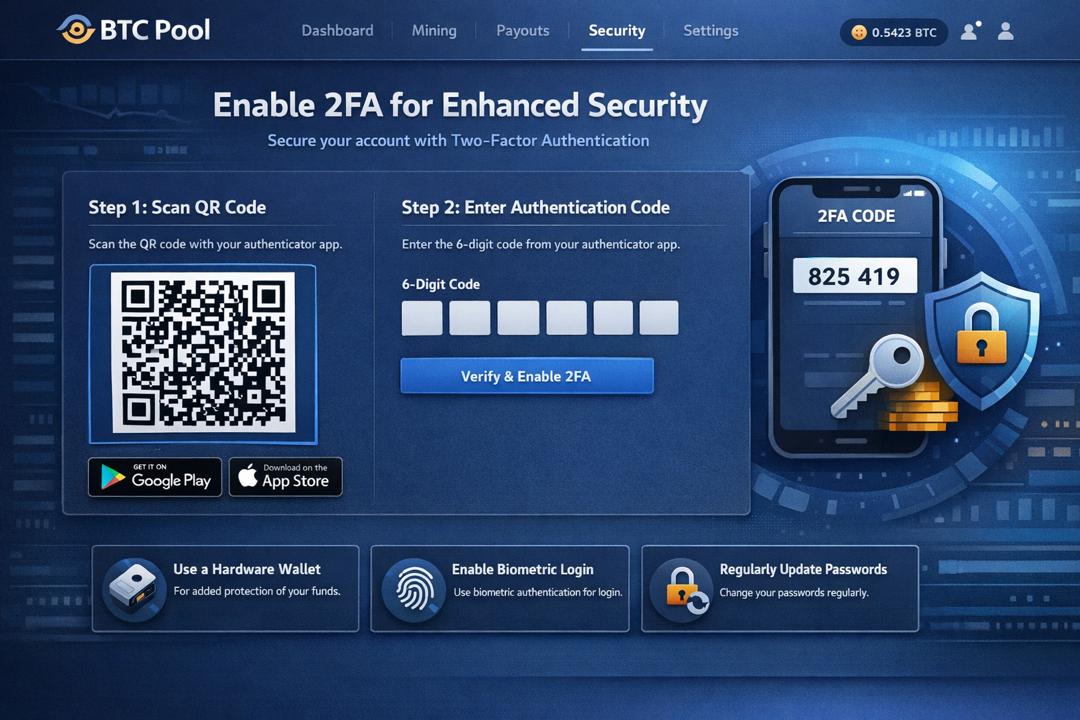
Two-factor authentication (2FA) is non-negotiable for pool withdrawals. Every major pool supports Google Authenticator, Authy, or hardware tokens. Enable 2FA immediately after account creation to prevent unauthorized access.
Download mining software exclusively from verified sources. Official GitHub repositories, developer websites, and reputable mining forums provide legitimate downloads. Verify SHA256 checksums before installation to ensure file integrity.
Implement network segmentation for mining operations. Isolate mining rigs on a dedicated VLAN to prevent potential malware spread. Use firewall rules to restrict communication to essential services only.
Regular security audits identify vulnerabilities before attackers do. Check for outdated firmware, weak passwords, and unnecessary open ports. Subscribe to security bulletins from hardware manufacturers for critical updates.
Summary and Strategic Recommendations For Profitable Mining.
Successful mining pool configuration in 2026 requires methodical attention to detail. Start with reliable hardware, choose appropriate software for your skill level, and connect to reputable pools with proven track records.
For hobbyist miners with 1-5 ASICs, EasyMiner paired with Antpool provides the optimal balance of simplicity and profitability. The visual interface eliminates technical barriers while Antpool’s infrastructure ensures consistent payouts.
Professional operations managing 50+ units benefit from CGMiner’s advanced features combined with ViaBTC’s multi-coin capabilities. The command-line interface enables scripted automation while Smart Mining maximizes revenue across market conditions.
Remember that configuration is an ongoing process, not a one-time setup. Monitor performance metrics daily, adjust settings based on market conditions, and stay informed about pool policy changes. The miners who succeed in 2026 are those who treat configuration as seriously as hardware selection.
Your journey from hardware to hashrate begins with a single pool configuration file. Take time to understand each setting, test different combinations, and optimize for your specific circumstances. The effort invested in proper configuration pays dividends through increased profitability and reduced operational headaches.